
 YouTube Automation
How To Start a YouTube Automation Business -9 Powerful Hacks(Blog#:47)

Every day, thousands of people search for a real way to earn money online. They try dropshipping, freelancing, and social media, but most of the time they lose money and feel tired of trying again and again. How to Start a YouTube Automation Business shows a different path, a simple system where you can build a profitable YouTube channel using AI tools and freelancers without showing your face, recording your voice, or editing videos yourself.
The 9 powerful hacks in How to Start a YouTube Automation Business explain the exact steps that successful creators use to grow channels and make income. Most beginners fail not because the model does not work, but because they never learn the right strategy from the beginning.
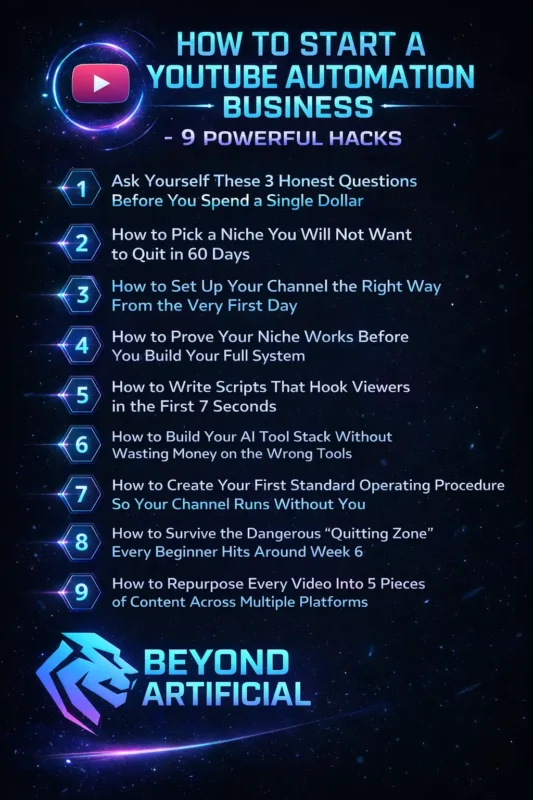
By the time you finish this guide, you will clearly understand how to start your first automated YouTube channel and avoid the mistakes that stop most people.
Keep reading or explore powerful hacks. Before you move next, it helps to first understand what a YouTube automation business actually is and how this model works.
1. Ask Yourself These 3 Honest Questions Before You Spend a Single Dollar.
Before you spend a single dollar on tools, freelancers, or courses, pause and ask yourself three honest questions about starting a YouTube automation business. Do you actually understand how the model works? Do you have the patience to grow a channel for several months, and are you ready to treat this like a real business instead of a quick money trick?
Many people jump in because they see big income screenshots online, but later feel frustrated when growth takes time and effort. Here few tips: first, spend a few days learning the basics of YouTube automation, so you know exactly what the process looks like from idea to published video. Another tip: Set a realistic mindset and remember that most successful channels grow slowly at the beginning before momentum starts building.
Start small by testing one niche and a few videos instead of investing a lot of money in the first week. When you answer these three questions honestly and follow these simple tips, you begin your YouTube automation journey with clarity, confidence, and far fewer costly mistakes.
2. How to Pick a Niche You Will Not Want to Quit in 60 Days.
Many beginners choose a niche only because someone said it makes the most money, but after a few weeks, they feel bored and slowly stop uploading videos. A strong YouTube automation niche should follow a simple rule: it should be something you find interesting, something people already search for, and something that can be produced easily with AI tools and freelancers.
High-paying niches like finance can earn more money per view, but if you hate the topic, you will lose motivation very quickly, and your channel will never grow. Tips: Use the simple “10 video ideas test”, try to write 10 video ideas for that niche in a few minutes, and if ideas do not come easily, that niche will be hard to manage long-term. Tip: always check if people are already watching this type of content by searching the niche on YouTube and looking for channels that regularly get views.
Choose a niche where you see steady uploads and audience interest, not just a topic that looks trendy for a short time. When your niche balances interest, demand, and easy production, you build a channel you can grow consistently instead of quitting after a few months.
3. How to Set Up Your Channel the Right Way From the Very First Day
Many beginners rush through channel setup in a few minutes, skip the branding, leave the About section empty, and later wonder why their videos do not reach the right audience. Your channel setup is more than design; it tells the YouTube algorithm what your channel is about and who should see your videos. A clear name, simple logo, good banner, and keyword-based About section help YouTube understand your niche from the very beginning.
Simple tips before uploading your first video: complete your profile picture, banner, About section, and at least one playlist so your channel looks professional and trustworthy. Add your main niche keywords in the first lines of the About section so YouTube can categorize your content correctly. Create playlists related to your niche because playlists encourage viewers to watch more videos and help the algorithm recommend your content.
When your channel looks complete and organized from day one, viewers trust it more, and YouTube is more likely to push your videos to the right audience.
4. How to Prove Your Niche Works Before You Build Your Full System.
One of the biggest mistakes beginners make in YouTube automation is investing money in tools, freelancers, and branding before they know if their niche actually works. Many people feel excited at the start, but after a few weeks, they realize that the audience is not interested in the topic they chose. The smarter approach is to first test your niche by publishing a few simple videos and letting real viewers decide if the idea works.
Useful tips: Start with 3–5 basic test videos using simple scripts, free voiceovers, and basic editing instead of spending money at the beginning. After uploading these videos, check important numbers in YouTube Studio like click-through rate and audience retention to see if people are actually watching your content. If several videos start getting views and viewers watch a good part of the video, it is a strong signal that your niche has real potential.
By testing your niche first and using real data to guide your decisions, you avoid wasting money and build your YouTube automation channel with much more confidence. Many creators use Google Trends for niche research to find topics that people are actively searching for.
5. How to Write Scripts That Hook Viewers in the First 7 Seconds.
Many creators know the painful feeling of publishing a video they worked hard on, only to see viewers leave within the first few seconds without understanding why. The truth is that most videos fail not because the content is bad, but because the opening hook does not grab attention quickly enough. In the first few seconds, viewers want to know why the video matters to them, so your script must instantly show the problem, the value, and the reason to keep watching.
Useful tips: Start your script with a strong line that hits the viewer’s problem directly, such as a surprising fact, a bold statement, or a question that sparks curiosity. Write at least 4–5 different hook versions using ChatGPT and choose the one that sounds the most exciting and clear. Avoid long greetings or slow introductions and jump straight into the value so viewers feel they made the right click.
When your hook creates curiosity, emotion, and clear value in the first seconds, viewers stay longer, and your video has a much better chance of being recommended by YouTube.
6. How to Build Your AI Tool Stack Without Wasting Money on the Wrong Tools
Many beginners feel overwhelmed when they see dozens of AI tools for YouTube automation and worry about wasting money on tools they may never actually use. The truth is that you do not need a huge stack of expensive tools to start. Most successful creators begin with only a few simple tools that handle scripting, voiceovers, and video creation.
What really matters is choosing tools that work well together and support your workflow instead of chasing every new AI tool that appears online. A few useful tips: start with a basic stack such as ChatGPT for scripts, an AI voice tool for narration, and a simple video editor so you can test your process without spending too much money. Use free trials or free versions first to see if the tool actually fits your workflow before committing to a paid plan. Avoid buying multiple tools that do the same job because this quickly increases costs without improving your results.
When you build your AI tool stack slowly and focus only on what you truly need, you save money, reduce stress, and create a much smoother YouTube automation system.
7. How to Create Your First Standard Operating Procedure So Your Channel Runs Without You.
Many creators feel exhausted because their YouTube channel depends on them for every single task, and the moment they stop working, everything slows down. The real solution is creating a simple Standard Operating Procedure (SOP) that clearly explains each step of your video production process. When every task is written down, from idea research to publishing, your channel can run smoothly even when freelancers or team members handle the work.
Tips like start by listing each step of your workflow, such as topic research, script writing, voiceover, editing, thumbnail creation, and uploading. Write short and clear instructions for each task so anyone joining your team can understand the process quickly without confusion.Store your SOP in a shared document or workspace, so your team can easily follow the same system every time.
When you build a clear SOP, your channel stops feeling like a daily struggle and starts running like a real automated business.
8. How to Survive the Dangerous “Quitting Zone” Every Beginner Hits Around 6 Weeks.
Around the sixth week of starting a YouTube automation channel, many beginners hit a frustrating stage where views are low, motivation drops, and they quietly start wondering if all the effort was a mistake. This moment is often called the “quitting zone,” where excitement fades, and doubt begins to take over, even though the channel has barely had time to grow.
The truth is that many successful channels looked slow and invisible in their early weeks, but the creators who kept going were the ones who eventually saw real results. Tips like setting a small goal, like uploading a fixed number of videos before judging your progress, because early data needs time to build. =Focus on improving one thing at a time, such as stronger hooks, better thumbnails, or clearer titles, instead of trying to fix everything at once. Tip: remind yourself that YouTube growth is often delayed, and consistency is usually the difference between channels that succeed and channels that disappear too early.
When you push through this quitting zone with patience and steady effort, you give your channel the chance to finally gain momentum and prove that your hard work was not wasted.
9. How to Repurpose Every Video Into 5 Pieces of Content Across Multiple Platforms.
Many creators feel exhausted trying to constantly produce new content for every platform, not realizing that one good video can actually become several pieces of content. The smart strategy is repurposing, turning a single YouTube video into multiple formats so your effort reaches more people without doubling your workload. Instead of creating from scratch each time, you simply reshape the same idea for different platforms and audiences.
Simple Tips: Cut the most interesting moments from your video and turn them into short clips for platforms like YouTube Shorts, Instagram Reels, or TikTok. Take the main idea from the video and turn it into a simple post, thread, or carousel that explains the key points in a quick and easy way. Reuse powerful quotes or tips from the video as short social media posts that drive people back to the full video.
When you repurpose content this way, one video can easily become five pieces of content that grow your reach, save time, and keep your audience engaged across multiple platforms.
FREQUENTLY ASKED QUESTIONS (FAQs)
How can I start my YouTube automation?
Starting a YouTube automation channel may feel confusing at first, but the process becomes simple when you follow the right order. First, choose a niche, then create a basic workflow for researching ideas, writing scripts, adding voiceovers, editing videos, and uploading consistently using simple AI tools. The most important step is to start publishing videos and learn from real audience feedback, because progress comes from taking action, not from waiting for the perfect plan.
What do I need to start a YouTube automation?
You actually need much less than most people think to start a YouTube automation business. A simple setup, like a niche idea, ChatGPT for scripts, an AI voice tool, a basic video editor, and a thumbnail tool like Canva, is enough to create your first videos. The most important thing is not having perfect tools but starting with what you have and staying consistent for the first few months.
Does YouTube pay money for AI videos?
Yes, YouTube can pay for AI-generated videos in 2026, but the key is how you use AI. YouTube does not ban AI tools, but it does not support low-effort or repetitive content that adds no real value to viewers. If you use AI as a helper for scripts, voiceovers, or editing while adding your own ideas, creativity, and useful information, your channel can still grow and qualify for monetization.
What is not allowed on YouTube?
YouTube does not allow content that is harmful, misleading, or unsafe for viewers. Content such as hate speech, harassment, dangerous challenges, spam, or illegal activities can lead to strikes or removal because they violate the platform’s Community Guidelines. To stay safe, create original videos that respect others, avoid misleading or harmful content, and always follow YouTube’s Community Guidelines before publishing.
What is the 10-minute rule for YouTube?
The “10-minute rule” is the old idea that longer YouTube videos can earn more money because they allow ads to appear in the middle of the video. Today, the rule has slightly changed—videos 8 minutes or longer can include mid-roll ads, which helps creators increase revenue if viewers keep watching. To benefit from this, focus on making valuable videos around 8–12 minutes or longer so you can add mid-roll ads while still keeping viewers engaged until the end.
How to start a YouTube automation business for free
If you have been watching YouTube automation success stories and feeling excited but also worried because you cannot afford expensive tools or courses, this section is for you. The good news is that starting a faceless YouTube automation channel in 2026 does not require a big budget at all. With the help of free AI tools, you can create scripts, voiceovers, videos, and thumbnails without spending money. Here are some free tools that can help you start your channel:
Free script writing: ChatGPT’s free version can help you generate video scripts quickly
Free voiceovers: AI voice tools offer free plans with natural-sounding voices
Free video editing: CapCut free version lets you edit videos easily
Free thumbnails: Canva’s free plan helps you design attractive thumbnails
Free stock footage: Pexels and Pixabay provide free video clips you can use
Free topic research: YouTube search and Google Trends help you find ideas
Start with the tools you already have and focus on learning the process step by step, because many successful creators started the same way, with almost no budget but a strong willingness to begin.
