
 YouTube Automation
How to Do YouTube Automation With AI -9 Clear Tips(Blog#:13)

Many creators dream of financial freedom but get stuck doing everything manually. Learning how to do YouTube automation with AI is one of the fastest ways to start earning passive income.
The truth is, AI-powered automation is no longer a secret , any beginner with the right tools, mindset, and tips can start today. Successful faceless channels grew fast because they embraced AI before their competitors. If you have spent hours struggling with slow growth, low views, or zero earnings, these 7 clear tips are here to help.
They will show you how to create content faster, save time, protect your energy, and build a YouTube automation system that works for you 24/7.
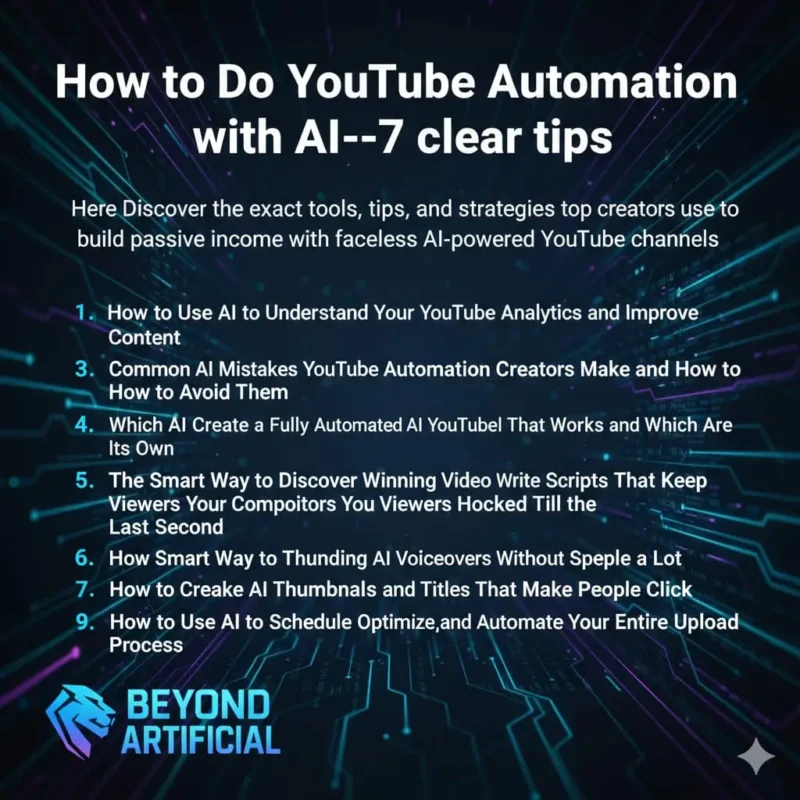
Keep reading to discover the exact tools, tips, and strategies top creators use to build passive income with faceless AI-powered YouTube channels.
1. How to Use AI to Understand Your YouTube Analytics and Improve Content
Many YouTube automation creators keep uploading videos without checking their analytics, and that mistake slows down their growth while competitors get ahead. Your analytics are not just numbers, they show what your audience loves, when they leave, which titles get clicks, and what keeps viewers watching until the end.
AI tools now make it easy for beginners to understand analytics, find patterns, and make smarter content decisions. Use tools like ChatGPT to analyze your top videos, see what works, and improve your scripts, titles, and thumbnails. Always track click-through rate, average view duration, and impressions weekly, then use AI to compare good vs. underperforming videos and fix the gaps.
Creators who combine analytics tracking with AI stop guessing, grow faster, and build faceless channels that improve with every upload, turning them into steady passive income machines.
2. Common AI Mistakes YouTube Automation Creators Make and How to Avoid Them
Every creator who’s poured hours into a channel only to see zero growth, zero views, and zero income knows that sinking feeling. Most of the time, it’s not bad luck — it’s avoidable AI mistakes quietly destroying all their hard work. AI is powerful, but misused, it produces robotic, low-quality, repetitive content that YouTube punishes and viewers ignore.
Never copy-paste raw AI scripts — they kill trust, engagement, and watch time. Always give AI clear, detailed prompts and combine specialized tools for scripting, voiceovers, editing, and thumbnails. One tool doing everything poorly , instant content failure.
Creators who treat AI as a smart assistant, edit carefully, and check quality every time are the ones who protect their channel, grow consistently, and turn faceless AI videos into a real passive income machine. Used right, AI does not replace you, it amplifies your skill, speeds up growth, and makes your channel unstoppable.
3. How to Create a Fully Automated AI YouTube Channel That Works on Its Own
Imagine waking up to a YouTube channel that researches, scripts, creates, uploads, and optimizes videos all by itself, while you enjoy life or focus on bigger goals. This is not just for tech experts , any determined creator can build it step by step using AI tools, smart workflows, and reliable freelancers.
Successful creators do not work harder, they work smarter. They document every process, remove themselves from daily tasks, and turn their channels into self-running machines that need only minimal weekly checks. Start by mapping your entire workflow and see which tasks AI or freelancers can handle faster and better. Build in phases: AI scripting and voiceovers first, editing and thumbnails next, then scheduling and SEO automation.
Use tools like Trello, Notion, or Asana to organize your team and track progress, no chaos, no stress. Creators who build a fully documented, AI-powered, team-supported system step back, watch their faceless channel grow effortlessly, and finally enjoy real financial and time freedom. This is your path to passive income and independence.
4. Which AI Tools Are Worth Paying For and Which Are a Waste
Many beginners make the costly mistake of signing up for every shiny AI tool online, spending their budget fast and still wondering why their channel looks amateur and earnings are low. The truth is, the AI market is full of overhyped tools that promise to create amazing videos but often deliver low-quality content that YouTube punishes.
Smart creators do not use dozens of tools, they build a lean, powerful toolkit where every tool saves time, improves quality, and boosts growth. Pay for ElevenLabs for natural AI voiceovers, it improves watch time instantly. Invest in ChatGPT Plus or Claude Pro for structured, engaging scripts , better scripts mean better watch time, rankings, and revenue.
Avoid tools that claim to fully automate your channel or make videos go viral instantly , these usually produce spammy, low-effort content and can even get your channel banned. Creators who research tools carefully, test free trials first, and focus on 3–5 high-quality AI tools spend less, produce more, grow faster, and build profitable faceless channels that last.
5. How to Use AI to Discover Winning Video Ideas Before Your Competitors
Every YouTube automation creator knows the frustration of spending hours on ideas, uploading content, and getting almost no views, while a competitor posts the same topic and gets hundreds of thousands. The secret is not luck , it’s using AI tools to spot trending topics, audience questions, and content gaps your competitors have not filled.
Finding winning ideas no longer requires endless manual research. Build an AI-powered system that delivers fresh, high-demand video topics every week. Use ChatGPT with Google Trends to spot rising topics early , publishing ahead can flood your channel with views.
Do not trust intuition alone. Combine VidIQ, TubeBuddy, and ChatGPT to check search volume, competition, and demand. Ask AI to analyze your top competitors and uncover missed opportunities, these are your golden chances to rank faster and attract subscribers.
Creators who research smarter, spot trends early, and fill content gaps quickly are the ones whose faceless channels grow fast, dominate search results, and generate passive income while competitors are still catching up.
6. The Smart Way to Use AI Tools to Write Scripts That Keep Viewers Hooked Till the Last Second
Nothing is more frustrating for a YouTube automation creator than seeing viewers leave in the first 30 seconds. That graph tells you your script is not grabbing attention, and even great visuals or voiceovers wouls not save it. Most creators fail because they use AI the wrong way, a basic one-line prompt, copy-paste output, and then wonder why watch time is terrible.
Writing AI scripts that hook viewers from start to finish is about smart prompting, emotional structure, and planning every sentence so leaving the video feels like a loss. Always start your script with a powerful hook that targets the viewer’s biggest question, curiosity, or pain point, the first 10 seconds decide everything.
Never use vague prompts like “write a finance script.” Give your AI detailed instructions: target audience, tone, problem to solve, key points, and call-to-action. Insert open loops every 60–90 seconds, teasing info that comes later, this keeps viewers watching longer and boosts your channel metrics.
Creators who master AI scripting with strong hooks, open loops, and emotional storytelling are the ones whose faceless channels dominate watch time, rank faster, and generate growing passive income.
7. How to Make Natural-Sounding AI Voiceovers Without Spending a Lot
Many beginners worry that professional voiceovers will cost a fortune, and using cheap AI voices can sound robotic, kill trust, and make viewers leave. The good news? Modern AI voice tools let even beginners create warm, natural, human-sounding audio on a small budget.
Start with ElevenLabs, which offers realistic, emotionally expressive voices and enough monthly characters to produce several faceless videos per week. Do not just use default settings, test different voices, speeds, tones, and pronunciation until it fits your channel’s personality. Add pauses, emphasis, and punctuation to make the AI sound natural and engaging.
Creators who customize and refine their AI voiceovers consistently build audience trust, get better engagement, and grow passive income faster than competitors stuck with robotic-sounding audio.
8. How to Create AI Thumbnails and Titles That Make People Click
Every YouTube automation creator knows the frustration of posting a great video only to see zero views, all because the thumbnail looks weak and the title does not grab attention. The truth is, your thumbnail and title are not just decoration, they are the most powerful tools to get clicks, impressions, and passive income.
Smart creators use AI to craft thumbnails and titles that trigger curiosity. Generate at least 10 title options with ChatGPT, pick the one that sparks the strongest emotional pull, and use Canva or Adobe Express to make bold, high-contrast thumbnails that stop viewers mid-scroll. Study the top videos in your niche, identify color patterns, designs, and emotional triggers, then add your unique twist to stand out.
Creators who treat every thumbnail as a mini-ad and every title as a click trigger, using AI to test and improve constantly, see their click-through rates soar, get recommended by YouTube more, and turn their faceless channels into powerful passive income machines.
9. How to Use AI to Schedule, Optimize, and Automate Your Entire Upload Process.
Many YouTube automation creators think the hard work ends after making the video, but then comes uploading, writing descriptions, adding tags, scheduling, and optimizing. All of this takes hours and slowly kills the “freedom” they started this journey for. The truth is, inconsistent uploading is one of the fastest ways to hurt your channel, because YouTube rewards creators who post regularly and punishes those who disappear.
The good news? AI tools can now handle most of your upload process. Use ChatGPT to write SEO-friendly descriptions, tags, and timestamps before uploading. A well-optimized description helps your video rank higher and reach new viewers. Always check YouTube Studio analytics to find the best time your audience is active, and schedule your videos during those peak hours.
Instead of posting manually every day, use YouTube’s built-in scheduler or tools like Hootsuite or TubeBuddy to plan a full week or month of content in advance. Creators who combine AI optimization with smart scheduling never miss uploads, stay consistent without stress, and keep their channel growing steadily. With the right system, your faceless channel runs smoothly, and your passive income grows with every scheduled video.
FREQUENTLY ASKED QUESTIONS(FAQs)
How to do youtube automation with ai 7 clear tips?
YouTube automation with AI is simple , use smart tools to research ideas, write scripts, create voiceovers, edit videos, and upload without ever showing your face. Choose a profitable niche, use ChatGPT for scripts, ElevenLabs for natural voiceovers, Canva for thumbnails, and schedule your uploads consistently. Stay consistent, track your analytics weekly, and keep improving , that’s how you turn a faceless channel into real passive income.
Is YouTube automation still profitable in 2026?
Yes , YouTube automation is still profitable in 2026, especially with powerful AI tools that make content creation faster and cheaper. Creators who choose high-CPM niches like finance, tech, and health, stay consistent, and build smart systems are earning real income. As long as people keep watching YouTube, the opportunity to make money is not going away , it is only growing.
Can I monetize a faceless YouTube channel using AI?
Yes, you can fully monetize a faceless YouTube channel using AI. YouTube does not require you to show your face , it only cares that your content follows the rules and gives real value. To join the YouTube Partner Program, you need 1,000 subscribers and 4,000 watch hours.
You can earn through AdSense, affiliate marketing, brand deals, and even selling digital products. Creators who choose high-CPM niches, post consistently, and optimize for watch time and clicks are the ones who turn their AI-powered faceless channels into steady passive income machines.
What are the best AI tools for YouTube automation beginners?
The best AI tools save time, improve quality, and are easy to use. Start with ChatGPT/Claude for scripts, ElevenLabs for voiceovers, Invideo AI/Pictory for editing, Canva for thumbnails, VidIQ/TubeBuddy for SEO, and YouTube Studio for scheduling. Free versions work fine at first, consistency and improving your content are what truly grow your faceless channel.
Does YouTube allow AI-generated content and voiceovers?
Use ChatGPT/Claude for scripts, ElevenLabs for voiceovers, Invideo AI/Pictory for editing, Canva for thumbnails, VidIQ/TubeBuddy for SEO, and YouTube Studio to schedule. Start simple, stay consistent, and improve step by step.
How To Do Youtube Automation with AI on phone
If you think you can not start YouTube automation because you do not have a laptop, stop right there. So many people delay starting their faceless channel just because they believe a phone is not powerful enough, and that belief alone keeps them stuck.
Here is the truth: your smartphone is more than enough to run an AI-powered YouTube automation channel. You can research, write scripts, create voiceovers, edit videos, design thumbnails, and upload, all from your phone. Most popular AI tools like ChatGPT, ElevenLabs, Canva, and others work perfectly on mobile.
Here’s what you can do right now using only your phone:
Research profitable niches using ChatGPT and Google Trends
Write engaging AI scripts in minutes with ChatGPT or Claude
Create natural voiceovers using ElevenLabs without any equipment
Edit faceless videos easily with Invideo AI or CapCut mobile app
Design eye-catching thumbnails using Canva’s free mobile app
Optimize titles and tags with VidIQ or TubeBuddy
Upload and schedule videos directly through YouTube Studio app
You do nott need expensive gear, you just need action. Your phone is already a complete mini YouTube studio in your pocket.

