
 YouTube Automation
IS Video Editing Hard? 7 Simple Ways to Master It Fast(Blog#:18)

Is video editing hard? That thought has stopped more creators from sharing their story than anything else. You searched “video editing hard” because you feel stuck, frustrated, maybe even ready to quit, and that’s okay. But here is the truth nobody tells you: every pro editor you admire once felt exactly like you, overwhelmed, confused, and unsure if they could ever get it right.
The difference? They discovered the right shortcuts, the right mindset, and the simple steps that transformed their fear into confidence. Imagine sitting at your timeline tomorrow, feeling calm, in control, and finally proud of the videos you create. That’s what is waiting for you once you unlock these secrets, and it’s closer than you think.
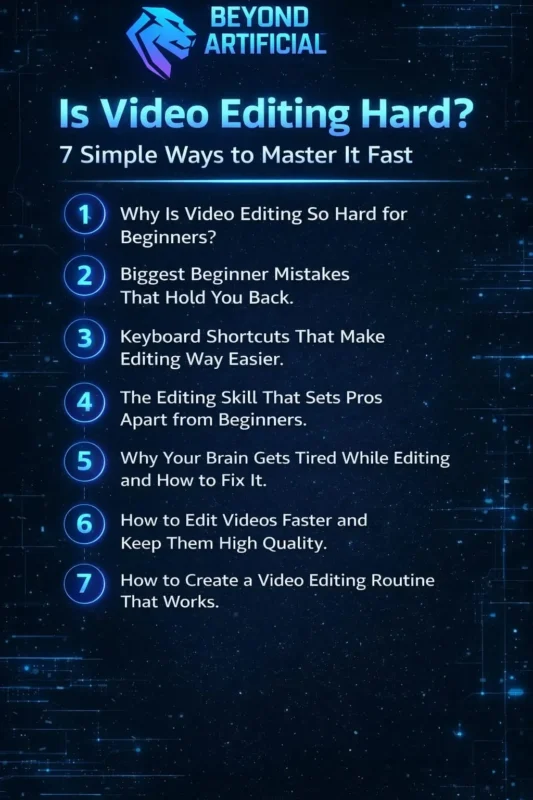
Stop letting frustration and overwhelm steal your passion. Discover these 7 simple strategies today and transform your raw footage into videos that truly connect, inspire, and make people pause to feel what you have created.
1. Why Is Video Editing So Hard for Beginners?
Video editing feels really hard at first because your brain is learning a whole new “language”, timelines, transitions, and a bunch of confusing buttons all at once. Every beginner feels lost, frustrated, and wonders if they are just not creative enough, but that feeling is lying to you. The real problem is not talent; it’s that no one gives you a simple starting point, so your mind gets overwhelmed before you even make your first cut.
The best thing to do is pick one simple software, like CapCut or DaVinci Resolve, and focus only on its basic tools at first. Try editing one short video every day, even just a 30-second clip, because daily practice trains your brain faster than any course. Do not try to learn color correction, sound design, and transitions all at once. Pick one skill per week and master it before moving on.
Remember, every professional editor you admire once sat at that same confusing screen and felt exactly like you do now; the only difference is they did not quit.
2. Biggest Beginner Mistakes That Hold You Back.
Most beginners struggle with video editing, not because they lack talent, but because they make the same hidden mistakes that quietly slow down their progress. Jumping straight into complex software, skipping the basics, and copying advanced edits without learning the foundation is like trying to run before you can walk. You end up spending hours feeling frustrated and unproductive, but it’s your workflow, not your creativity, that’s holding you back.
The first tip that can change everything is to organize your footage into labeled folders before you even open your editing software. This simple habit can save hours of stress. Stop trying to make your first video perfect; perfectionism kills progress. Finish your edit, publish it, and learn as you go. Also, learn keyboard shortcuts early. Relying on a mouse for every action wastes energy and doubles your editing time.
When you stop trying to do everything at once and focus on completing one simple project at a time, your confidence will soar, and editing will finally start to feel natural and fun.
3. Keyboard Shortcuts That Make Editing Way Easier.
Keyboard shortcuts are one of the most powerful secrets that turn slow, tired beginners into fast, confident editors who actually enjoy editing. Many beginners waste hours moving their mouse for actions that a single key press could do in seconds, and that hidden time drain slowly kills motivation. When you start using keyboard shortcuts, editing suddenly feels smooth, fast, and even a little magical. Start small by learning just five essential shortcuts first: Cut, Undo, Play, Zoom In, and Zoom Out.
These alone will make your sessions feel twice as fast and much less stressful. Print your software’s shortcut sheet and keep it by your screen so you can glance at it while editing. Try a full session using only shortcuts and no mouse clicks; this uncomfortable practice trains your hands faster than weeks of casual use.
After just two weeks of daily practice, your hands will move automatically, your editing speed will double, and you will finally feel like the confident editor you’ve always wanted to be.
4. The Editing Skill That Sets Pros Apart from Beginners.
The skill that really separates a struggling beginner from a confident pro editor is not fancy transitions or expensive plugins; it’s the ability to tell a story that makes viewers feel something. Beginners often focus on how their video looks, but professionals focus on how it feels, and that mindset shift is what stands between where you are now and where you want to be. A pro editor knows when to cut, pause, or let a moment breathe, because every frame either serves the story or weakens it.
You can start training your storytelling skills by watching your favorite videos with the sound off. This helps you notice the pacing, visual flow, and emotions that most beginners miss. Before every cut, ask yourself: Does this moment make my viewer feel something, or am I just keeping it because I like it? Study three professional editors in your niche, watch how they pace their cuts, and practice copying their style in your next project.
When you stop editing for perfection and start editing for emotion, your videos will go from forgettable clips to powerful stories that people watch until the end, and share.
5. Why Your Brain Gets Tired While Editing and How to Fix It
Video editing is mentally exhausting because your brain is making hundreds of tiny decisions every minute, judging cuts, pacing, audio, and visuals all at once. That foggy, frustrated feeling after just an hour or two is not weakness; it’s called decision fatigue, and it quietly drains your creativity, judgment, and motivation. Many beginners push through this mental tiredness, which is why their videos start to feel flat, sloppy, or disconnected near the end of a session.
A simple fix is the 50-10 rule: edit for 50 focused minutes, then step away for 10 minutes, no screens, no phone, no distractions. Tackle your hardest, most creative edits first, when your brain is sharpest. Keep a cold glass of water on your desk; even mild dehydration can slow your decision-making by up to 20% without you noticing.
When you start protecting your mental energy like a pro athlete protects theirs, your editing will feel easier, your videos will look better, and you will stop dreading opening your timeline.
6. How to Edit Videos Faster and Keep Them High Quality
Many beginners think editing faster means lowering quality, but the truth professionals know is that a smart, organized workflow actually makes your videos look better and finish faster. The reason your editing drags is not that you are slow; it’s because you are making random decisions, hunting for lost files, and second-guessing cuts instead of following a clear, repeatable system. Speed and quality are not enemies; they work together when you build the right habits, structure, and mindset.
Start by creating a personal editing template for every type of video, intro, transitions, color grade, and outro, so you do not waste time rebuilding the same foundation. Before touching your timeline, spend 10 focused minutes selecting only your best footage. Cutting your clips before editing can instantly double your speed without affecting quality. Use proxy files for high-resolution footage so your computer runs smoothly, your timeline responds faster, and your creative flow is not interrupted by lags or crashes.
The editors who make the most amazing videos in the least time are not always the most talented; they are just the most organized. And that’s a skill you can start building in your very next project.
7. How to Create a Video Editing Routine That Works.
Most beginners start editing with no plan, no structure, and no routine, and then wonder why progress feels slow, motivation disappears, and every session feels like starting from scratch. The truth is, talent without a routine is wasted potential. The editors who grow fastest are not always the most talented; they are the ones who show up consistently, follow the same process, and protect their editing time like it’s the most important appointment of the day.
A solid editing routine doesn’t limit creativity; it unleashes it. When your brain knows what to expect, it stops wasting energy on small decisions and focuses on the creative work. Start by picking one fixed editing time each day, even just 30 minutes. Daily consistency builds skill, muscle memory, and unstoppable momentum. Begin each session with a two-minute review of what you did last time and a clear list of what you want to finish today.
This helps you dive straight into work instead of wasting time figuring out where to start. Make your environment focus-friendly: close extra tabs, silence your phone, play a productive playlist, and let others know this time is non-negotiable. When you stop treating editing like a random task and start treating it as a daily, protected ritual, your skills will grow faster than you imagined, and editing will become one of the most satisfying parts of your creative day.
FREQUENTLY ASKED QUESTIONS (FAQs)
Is video editing really hard?
Video editing feels hard at first because your brain is learning new technical, creative, and organizational skills all at once. But this difficulty is temporary. The fastest way to get past it is to start with simple software, focus on one skill at a time, and edit every day, even a short 30-second clip. Every confident editor you see once felt the same confusion you are feeling now. The only thing between you and that confidence is practice and not giving up.
Can a beginner learn video editing easily?
A beginner can learn video editing easily, but only if they stop trying to do everything at once. The key is using the right software, the right resources, and building a daily practice habit that grows confidence step by step. Start with one simple tool like CapCut or DaVinci Resolve, edit one short video every day, and focus on finishing projects, not making them perfect. In just 30 days of consistent practice, most beginners go from feeling lost and overwhelmed to editing with real speed, confidence, and creative flow.
What is the 5-second rule in video editing?
The 5-second rule means every scene in your video must grab the viewer’s attention in the first 5 seconds. If it does not, people will quickly skip ahead. Use this rule by starting each scene with your most interesting, exciting, or emotional moment; do not bury your best content in the middle. Once you make this a habit, your watch time will go up, your audience will stay longer, and your videos will get the views and engagement they deserve.
What is the golden rule of video editing?
The golden rule of video editing is simple but powerful: if a clip does not serve the story, make the viewer feel something, or move the video forward, cut it, no matter how much you like it.
This rule helps you remove ego from the timeline and make every decision based on your viewer’s experience. Once you follow it, your videos will be tighter, more emotional, and more engaging, keeping your audience watching until the very last frame.
Can I use YouTube clips in my video?
Using YouTube clips in your videos can be very risky. Almost every video is protected by copyright, and using even a few seconds without permission can get your video removed, demonetized, or your channel deleted. The safest way is to use royalty-free footage from sites like Pexels, Pixabay, or YouTube’s Audio Library, or ask the original creator for written permission. Using original or legally cleared content not only protects your channel but also makes you look professional and trustworthy to your audience and potential brands.
Is video editing Hard for Youtube
If you have ever stared at your raw YouTube footage, feeling overwhelmed, wondering if video editing is just too hard for you, you are not alone. This feeling stops thousands of creators from sharing their voice. YouTube editing can feel tough because you are not just cutting clips; you are juggling engagement, pacing, thumbnails, audio, and storytelling all at once, while self-doubt whispers that maybe you are not cut out for this.
Here’s the good news: editing gets much easier when you stop trying to do everything perfectly and follow a simple system that works for your brain. Thousands of creators who once felt stuck now edit confidently, not because they became magically talented, but because they found the right shortcuts, tools, and mindset. You are not behind, broken, or alone; you just need the right roadmap, and it’s all right here.
Here is why YouTube editing feels hard, and how to fix it:
Overwhelming software: Start simple with CapCut before trying Premiere Pro
No clear structure: Use a fixed intro, middle, and outro framework
Poor audio quality: Bad sound ruins good visuals, so fix audio first
Inconsistent uploads: A simple routine beats raw talent every time
Trying to be perfect: Done and published is better than perfect and stuck