
 YouTube Automation
Google Gemini vs Google AI Mode – 9 Powerful Differences(Blog#:38)

Most people use Google every day, but very few realize that Google Gemini vs Google AI Mode are two completely different systems. Because they sound similar, many users end up feeling confused about what each one actually does. If you have ever wondered why Google sometimes shows AI answers in search while also offering an AI assistant called Gemini, you are not alone.
Millions of users are trying to understand the real difference between Google Gemini and Google AI Mode. In this guide, we will explain the powerful differences between Google Gemini vs Google AI Mode in the simplest way possible, so you clearly understand how each feature works and which one affects your Google experience the most.
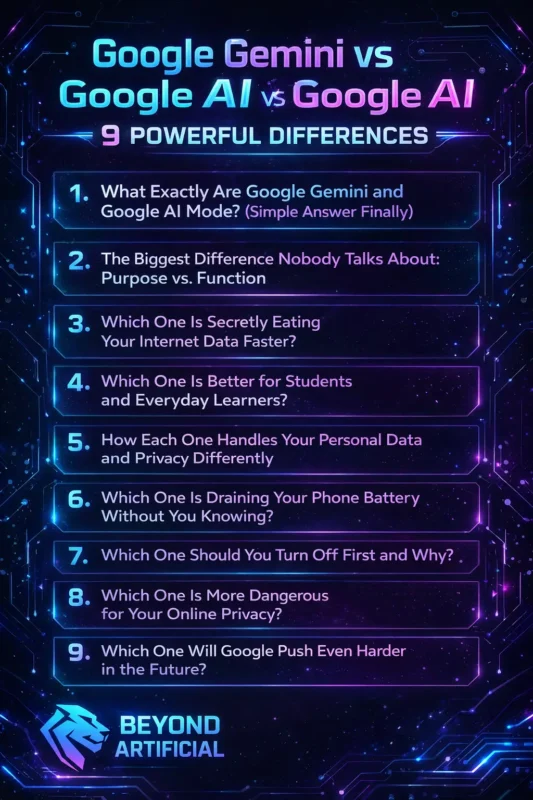
Top guessing and start knowing, read all differences right now, and finally take back full control of your Google experience today.
Every second you stay confused about Google Gemini vs Google AI Mode, Google keeps controlling your device. Fix that by reading all the differences. If AI results are ruining your search experience, learn how to turn off Google AI Mode step-by-step.
1. What Exactly Are Google Gemini and Google AI Mode? (Simple Answer Finally).
If you use Google often, you might have noticed two names showing up more and more: Google Gemini and Google AI Mode. Since they sound similar, many people assume they are the same thing. In reality, they are different tools that do different jobs. Google Gemini is Google’s standalone AI assistant. You can open it at gemini.google.com and use it to write, brainstorm ideas, analyze information, or even help with coding and research.
Google AI Mode, however, is not a separate assistant. It appears directly inside Google Search and uses Gemini’s technology to generate quick answers at the top of your search results based on information from websites. An easy way to remember the difference is this: Gemini creates, AI Mode searches. You can see the difference yourself by opening gemini.google.com in one tab and a normal Google search in another.
It also helps to know that even though AI Mode runs on Gemini’s technology, they still have separate settings and controls, which means turning one off will not automatically disable the other. Once this basic idea becomes clear, understanding and managing Google’s AI features becomes much easier.
2. The Biggest Difference Nobody Talks About: Purpose vs. Function.
Many articles do compaision Google Gemini vs Google AI Mode only talk about where they appear on the screen. But the real difference is much deeper. It comes down to purpose vs. function, and understanding this makes everything much clearer. Google Gemini is designed to help you create things. It works like an AI assistant that can help you write emails, brainstorm ideas, analyze documents, or even help with coding. Its main purpose is creativity and problem-solving.
Google AI Mode, however, is built to improve search. It appears inside Google Search and gathers information from different websites to give you quick answers. Instead of creating something new, it mainly summarizes information from the web. A simple rule can help you remember this:
1. Use Gemini when you want to create or think through something.
2. Use AI Mode when you want quick information from the internet.
If you want to explore how Gemini works directly from Google, you can visit the official page here: https://gemini.google.com. This can help you see how it works compared with a normal Google search page using AI Mode.
3. Which One Is Secretly Eating Your Internet Data Faster?
If you feel like your internet data is running out faster than before, Google AI Mode might be one reason. When AI Mode is active, Google does more work behind the scenes. It scans several websites, processes the information, and generates a full AI answer at the top of your search results. Because of this extra processing, each search can use more data than a normal Google search.
Google Gemini works a little differently. When you chat with Gemini, it mainly relies on its own trained knowledge instead of constantly scanning many live websites. Because of that, a typical Gemini conversation often uses less data per interaction than repeated AI Mode searches.
A simple tip is to switch to the Web filter in Google Search when you are using limited mobile data. This removes AI-generated answers and shows regular search results, which can reduce data usage. Another helpful step is to check your Search Labs settings and disable AI features you do not need. You can also enable Data Saver or Lite Mode in your Google app settings so pages load lighter versions of results.
Once you adjust these settings, you may notice that your searches load faster and your mobile data lasts longer.
4. Which One Is Better for Students and Everyday Learners?
If you are a student dealing with assignments, research, and daily study tasks, choosing the right tool between Google Gemini and Google AI Mode can make studying much easier. Google Gemini is usually more helpful for learning. Instead of only giving quick answers, it can explain difficult topics in simple language, break down complex ideas, summarize long texts, and guide you step by step through a problem. This makes it useful when you are trying to truly understand something.
Google AI Mode is better for quick searches. It can help you find recent information, statistics, or news directly in Google Search. However, it mainly focuses on giving fast answers rather than teaching a topic in depth. A helpful study tip is to ask Gemini to explain topics in simple terms, especially when something feels confusing. You can also paste a long article or textbook section into Gemini and ask for a clear summary to save time.
At the same time, you can use AI Mode to quickly find the latest facts or updates online. Using both tools together, Gemini for learning and AI Mode for quick information, can make studying more efficient and less stressful.
5. How Each One Handles Your Personal Data and Privacy Differently
Many people feel concerned about how much information Google collects about them. When it comes to Google Gemini and Google AI Mode, it is helpful to know that they handle your data in different ways. Google Gemini can store your conversations and prompts in your Google account through a setting called Gemini Apps Activity. This means the questions you ask or tasks you give Gemini may be saved to help improve the service and personalize your experience.
Google AI Mode, which appears in Google Search, is connected more closely to your regular search activity. It can use your search history and behavior to make results more personalized. If you want more control over your privacy, you can review your settings in your Google account. For example, you can visit myaccount.google.com, open the Data & Privacy section, and check settings like Gemini Apps Activity or Web & App Activity. These options allow you to manage or limit what information is stored.
Another useful step is to use Incognito or private browsing when searching for sensitive topics. This can reduce how much information is saved to your account. Taking a few minutes to review these settings can help you better understand and manage how your data is used while using Google’s AI tools.
6. Which One Is Draining Your Phone Battery Without You Knowing?
If your phone battery seems to run out faster than usual, some Google features may be part of the reason. Both Google Gemini and Google AI Mode use the internet and processing power, but they can affect your battery in different ways.
Google AI Mode works directly inside Google Search. When it generates AI answers, it often loads information from several websites and processes the results to create a summary. This extra activity can use more internet and processing power compared to a normal search, which may lead to higher battery use during heavy searching. Google Gemini usually works through a chat-style interface. During normal conversations, it may use less background activity, but long sessions or complex tasks can still use battery because your screen, internet connection, and processor remain active.
If you want to reduce battery usage, you can check Settings → Battery → App Usage on your phone to see how much battery the Google app or browser is using. You can also limit background activity for apps you do not need running constantly. Another helpful step is to turn off features like always-on voice detection (such as “Hey Google”) if you do not use them often. These small adjustments can help your phone battery last longer throughout the day.
7. Which One Should You Turn Off First and Why?
If you are trying to decide whether to turn off Google Gemini or Google AI Mode first, it helps to think about which one affects your daily use the most. For most people, Google AI Mode has a bigger impact because it appears directly inside Google Search. This means it can show AI-generated answers every time you search, which may change how your results look and how information is presented. Google Gemini, on the other hand, is a separate AI assistant that you usually open only when you want to use it.
Because of this, it does not affect your everyday Google searches unless you actively use it. If you want to reduce the influence of AI in your search results, a good first step is to review the Search Labs settings in Google and turn off AI features such as AI Overviews if they are enabled. This can bring your search results closer to the traditional format.
After that, you can also check your Google app or Assistant settings to see how Gemini is connected to your account and adjust those options if needed. Taking these steps one at a time can help you understand how each feature affects your experience and decide which settings work best for you.
8. Which One Is More Dangerous for Your Online Privacy?
Many people worry about how their data is used online. When comparing Google Gemini and Google AI Mode, both can collect information in different ways, which is why it is important to understand how they work. Google AI Mode is connected to your regular Google searches. This means it can use your search activity to improve results and personalize what you see. Because it works inside Google Search, it may gather data from many of the searches you make.
Google Gemini collects data differently. It can save the prompts and conversations you have with the AI through a setting called Gemini Apps Activity. This information may be used to improve the service and personalize responses. If privacy is important to you, it is a good idea to review your Google account settings. You can visit myaccount.google.com, open the Data & Privacy section, and check options like Web & App Activity and Gemini Apps Activity to control what data is stored.
You can also use private or incognito browsing when searching for sensitive topics. This helps reduce how much of that activity is linked to your account. Taking a few minutes to review these settings can help you better understand how your information is handled and give you more control over your online privacy.
9. Which One Should You Turn Off First and Why?
If you are trying todecide whether to turn off Google Gemini or Google AI Mode first, it usually makes sense to start with Google AI Mode. The main reason is that AI Mode works directly inside Google Search, which means it can affect almost every search you make. WhenAI Mode is active, it may show AI-generated summaries at the top of your search results. Some users prefer the traditional search layout instead, so adjusting this setting can quickly change how your results look and feel.
Google Gemini, on the other hand, is a separate AI assistant. You normally use it only when you open it intentionally, such as when asking it to help with writing, research, or brainstorming ideas. Because of this, it usually has less impact on your everyday searches. If you want to reduce AI features in your search results, you can start by checking Search Labs in Google and turning off options like AI Overviews if they are enabled.
After that, you can review your Google app or Assistant settings to see how Gemini is connected to your account and adjust those settings if needed. Making these changes step by step helps you see how each feature affects your experience and lets you decide which setup works best for you.
10. Which One Will Google Push Even Harder in the Future?
Google is investing heavily in artificial intelligence, and both Google Gemini and Google AI Mode are part of that strategy. However, many experts believe that AI Mode will play a bigger role in the future of Google Search. Google has already started adding AI-generated summaries and answers directly into search results. This suggests that AI features may become a more common part of how people use Google in the coming years.
Google Gemini is also expected to grow and improve. It is designed to be a powerful AI assistant that helps with writing, research, and problem-solving. Over time, it may become more connected with other Google products and services.
If you want to stay prepared for these changes, it can help to keep up with new features through Google Search Labs and official announcements. This allows you to understand how new AI tools work and adjust your settings if needed. It can also be useful to explore different search tools and browsing habits, so you have more flexibility in how you find information online.
Overall, AI will likely continue to shape the future of search. Understanding how tools like Gemini and AI Mode work can help you adapt to these changes more easily.
FREQUENTLY ASKED QUESTIONS (FAQs)
Is Google AI mode better than Gemini?
Not really: they are designed for different purposes. Google AI Mode is better for quick search results and real-time information from the web. Google Gemini is better for creative tasks, deeper explanations, writing help, coding, or summarizing long content. In simple terms: AI Mode helps you search, while Gemini helps you create and think through problems.
Which is more accurate, Google AI or Gemini?
Accuracy depends on what you are asking. Google AI Mode is usually better for recent information, such as news, prices, or current events, because it pulls data from live websites. Google Gemini is often better for detailed explanations, problem-solving, coding help, and deeper analysis. AI Mode is stronger for real-time facts, while Gemini is better for deeper understanding.
Are Google AI and Gemini the same?
No, they are not the same. Google Gemini is a standalone AI assistant that helps with tasks like writing, research, coding, and answering questions. Google AI Mode is a feature inside Google Search that shows AI-generated answers directly in search results. Gemini is the AI assistant, while AI Mode is how AI appears in Google Search.
Why is Gemini better than Google?
Gemini is not better than Google in every situation, but it is better for certain tasks. Gemini is more helpful for writing, explanations, problem-solving, coding, and summarizing information because it can understand context and give detailed responses. Google Search is still better for quick facts, recent news, local information, and shopping results. Gemini is better for thinking and creating, while Google Search is better for finding information quickly.
What are the disadvantages of Google Gemini?
Google Gemini can sometimes give incorrect or outdated answers, especially for very recent information. To avoid problems, always double-check important facts and use Google Search or trusted sources for the latest updates.
Google Gemini vs Google AI mode iOS
If you use an iPhone and feel confused about Google Gemini and Google AI Mode, you are not alone. Many iOS users notice new AI features appearing in Google apps and search results, but it is not always clear what each feature does or how to control them. Both tools can affect your experience on an iPhone in different ways. Google Gemini works as a separate AI assistant that helps with writing, research, and questions. Google AI Mode, on the other hand, appears inside Google Search and generates AI answers directly in your search results.
The good news is that iOS still gives you several ways to manage these features through the Google app and your phone settings. You do not need technical skills or complicated steps. With a few simple adjustments, you can control how Google AI tools behave on your device.
You can start by trying these steps:
1. Turn off AI features in Search Labs inside the Google app to reduce AI results in search
2. Check Gemini settings and switch back to the standard Google Assistant if you prefer
3. Review microphone and Siri permissions so AI features do not activate unexpectedly
4. Manage or clear Gemini Apps Activity in your Google account to control stored data
5. Change Safari’s default search engine if you want different search results
6. Use Incognito or private browsing when you want less personalized results
These small changes can help you better manage how Google Gemini and Google AI Mode work on your iPhone.