
 YouTube Automation
Can Anthropic AI Help YouTube Automation -7 Proven Hacks(Blog#:31)

Every YouTube creator who feels burned out, misses upload schedules, and watches their channel stop growing knows one thing: working harder is not fixing the problem. CanAnthropic AIHelp YouTube Automation make content creation easier and faster? That is why smart creators are now asking a powerful question.
The simple answer is yes. Instead of doing everything manually, you can use Claude by Anthropic to handle time-consuming tasks like research, scripting, titles, descriptions, and even engagement ideas. These Smart Moves will show you exactly how to turn your stressful one-person hustle into a smooth and scalable system. If YouTube feels overwhelming and your results feel too small for your effort, this might be the shift you have been waiting for.
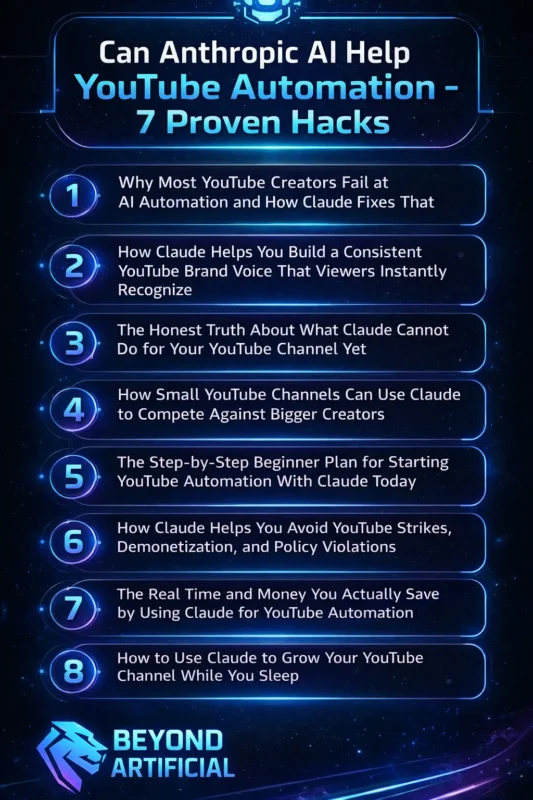
Keep reading if you are tired of doing everything alone and ready to doYouTube Automationfrom a daily struggle into a smart, automated growth machine that finally works for you, not against you.
1. Why Most YouTube Creators Fail at AI Automation and How Claude Fixes That
Most YouTube creators fail at AI automation because they jump in, desperate for results, hoping one click will fix their slow growth and burnout. They copy random prompts, paste generic scripts, and then feel crushed when their videos still get ignored. Deep down, it feels frustrating, like you are working smarter, but somehow still stuck.
The truth is, AI only works when you lead it with clarity, and that is exactly where Claude changes the game. Stop asking vague questions and start giving clear instructions about your niche, audience pain points, and video goal so the output feels powerful and targeted. Tip: Use Claude step-by-step; first for research, then hooks, then scripts instead of expecting one perfect result in a single try.
When you treat AI like a smart partner, you guide carefully, not a magic shortcut; everything shifts, and suddenly automation feels empowering instead of disappointing.
2. How Claude Helps You Build a Consistent YouTube Brand Voice That Viewers Instantly Recognize.
Many YouTube creators struggle because their content sounds different in every video, and viewers never truly connect with their personality. One day, the tone is serious, the next day it is casual, and that inconsistency quietly weakens your brand.
If people cannot recognize your voice instantly, they will not remember you, and that hurts more than low views. Claude helps you define and repeat a clear brand voice so your audience starts feeling like they “know” you. Tip: create a simple brand voice guide (friendly, bold, educational, emotional, etc.) and ask Claude to follow it in every script it generates. Save your best-performing script and tell Claude to match that tone and rhythm in future videos for consistency.
When your message sounds aligned every single time, viewers begin to trust you, and that trust slowly turns into loyalty, growth, and a brand that finally feels strong and unforgettable.
3. The Honest Truth About What Claude Cannot Do for Your YouTube Channel Yet.
Here is the truth, most creators do not want to hear, Claude cannot magically grow your YouTube channel without your effort. It cannot upload videos for you, build real relationships with your audience, or replace your unique personality on camera. And it definitely cannot fix inconsistent posting or a weak content strategy if you are not willing to improve.
What it can do is support you, but you still have to show up with creativity, discipline, and clarity. Tip: Use Claude to plan and structure your ideas, but always add your personal stories and opinions so your content feels real. Tip: do not blindly copy AI outputs; edit, refine, and inject emotion so your audience connects with you, not just polished words.
When you understand what Claude cannot do, you stop expecting miracles and start using it wisely, and that is when real, sustainable growth begins.
4. How Small YouTube Channels Can Use Claude to Compete Against Bigger Creators.
If you have ever looked at a huge YouTube channel and felt discouraged, wondering how your small channel could ever compete, you are not alone. Big creators usually have teams handling research, scripting, editing, and SEO, which makes the competition feel overwhelming and unfair.
But Claude gives small creators access to the same kind of strategic support without hiring a single person. The gap is not as wide as it looks when you use Claude to research competitors, analyze their top-performing videos, and create smarter content that fills the gaps they ignore. Ask Claude to generate SEO-focused titles, descriptions, and tags, because small channels grow through strategy and precision, not luck.
Use it to plan an entire month of content in one session, so you stay consistent, organized, and ahead of schedule. Your small channel is not a weakness. With Claude supporting your research, scripting, and planning, you are no longer trying to catch up; you are building momentum the smart way.
5. The Step-by-Step Beginner Plan for Starting YouTube Automation With Claude Today
The biggest myth holding beginners back from YouTube automation is the fear that you need to be technical, experienced, or already successful before AI can work for you. In reality, starting YouTube automation with Claude is simple, affordable, and beginner-friendly. You just need a clear plan and the courage to begin.
Claude does not require coding, expensive tools, or a big team; it only needs your niche, your ideas, and your decision to take action today. Start by opening Claude and asking, “What are the top 10 most searched video topics in my niche right now?” because that single question can give you a powerful content roadmap in seconds. Then ask it to write a full script for one topic using a prompt like, “Write an engaging 8-minute YouTube script for beginners,” and you will instantly have something structured and ready to refine.
After recording your video, use Claude to create your title, description, tags, and even a pinned comment in one focused session so everything stays consistent and saves you hours of stress. The key is to automate one step at a time, improve with every upload, and remember that every successful channel you admire once started exactly where you are , confused, nervous, but willing to take that first smart step.
6. How Claude Helps You Avoid YouTube Strikes, Demonetization, and Policy Violations.
Nothing kills a creator’s motivation faster than waking up to a YouTube strike, demonetization notice, or policy warning on a video you worked so hard to create. The worst part is that many creators do not even realize they broke a rule until the penalty has already damaged their channel. YouTube’s policies can feel confusing, strict, and constantly changing, which makes it easy to make small mistakes without meaning to.
This is where Claude can help by acting like a smart content safety assistant that reviews your scripts, titles, and descriptions before you publish. You can paste your full script into Claude and ask, “Does this violate YouTube’s advertiser-friendly guidelines?” and it will point out risky areas you may have missed. It can also suggest safer wording and alternative phrasing so you keep your message strong while avoiding unnecessary trouble.
You can even ask Claude to explain recent policy updates in simple terms and how they affect your niche, helping you stay informed instead of guessing. Your channel is more than just videos, it is your time, effort, income, and future, and using Claude as a second pair of eyes gives you peace of mind while protecting everything you are building.
7. The Real Time and Money You Actually Save by Using Claude for YouTube Automation.
If you have ever stayed up late trying to finish just one script while other channels keep uploading daily, you already know how draining YouTube can be. The real cost of doing everything manually is not just time, it is your energy, focus, and motivation slowly disappearing. When you use Claude in your workflow, you can save 10–15 hours a week on research, scripting, SEO, and even planning, which adds up faster than you think.
Instead of hiring expensive freelancers for scripts, SEO, or content planning, Claude gives you similar support for a small monthly cost. Scriptwriters, SEO experts, and managers can cost hundreds or even thousands of dollars, but Claude can handle many of those tasks in one place. A smart tip is to write down every task you spend time or money on, test Claude on each one, and calculate how many hours and dollars you actually save every month.
Then reinvest that saved time into recording better videos, improving your skills, and connecting with your audience, because automation should free you to be more creative, not more stressed. The creators who grow the fastest are not always the richest or most talented, but the ones who use smart tools to remove busy work and focus on what truly moves their channel forward.
8. How to Use Claude to Grow Your YouTube Channel While You Sleep.
Imagine waking up to new subscribers, more views, and fresh comments on your YouTube channel, not because you stayed up all night working, but because your system kept running while you slept. Growing on YouTube does not have to mean constant hustle if you build smart workflows with Claude. Claude helps you batch-create scripts, titles, descriptions, and even content plans in one focused session, so your channel stays active even on days you are offline.
One powerful tip is to use Claude to plan and script an entire month of videos at once, giving you a clear calendar and zero last-minute stress. Another smart move is to ask Claude for evergreen video ideas, topics people will search for months or even years from now, so your old videos continue bringing in new viewers daily. You can also use scheduling tools to publish pre-written descriptions, community posts, and promotions automatically at peak times, keeping your channel active without manual effort.
The key is to stop depending only on daily energy and start building repeatable systems that work in the background. When you combine consistency, evergreen strategy, and automation, your channel does not just grow when you are working; it grows while you rest, recharge, and focus on creating your best content.
FREQUENTLY ASKED QUESTIONS (FAQs)
What type of AI does YouTube use?
YouTube uses advanced artificial intelligence powered by machine learning and deep learning to control recommendations, search results, and content moderation. Its AI analyzes watch time, click-through rate, engagement, and viewer behavior to decide which videos get promoted and which ones do not. In simple terms, YouTube studies patterns in how people watch and interact, and creators who align their content with those signals have a much higher chance of consistent growth.
What is the AI to help my YouTube channel grow?
If your YouTube channel is not growing, the problem may not be your effort but the tools you are using. AI tools like Claude by Anthropic can help with research, script writing, SEO-friendly titles and descriptions, and content planning based on your niche. Instead of guessing what might work, using the right AI can help you create smarter, more optimized videos that increase your chances of steady channel growth.
How can I get 4000 hours on YouTube fast?
Reaching 4,000 watch hours feels hard when your videos get low views, but it becomes easier when you focus on strategy instead of luck. Create longer, engaging videos around evergreen topics that people keep searching for, so your watch time grows steadily over months. Use AI tools to improve your hooks, structure, and retention so viewers watch longer, because higher watch time per video helps you reach 4,000 hours much faster.
Is YouTube automation illegal?
YouTube automation is not illegal when it is used correctly. Using AI tools to help with scripting, research, editing, and SEO is completely allowed, as long as you are creating real content for real viewers. It becomes a problem only when people use bots to fake views, subscribers, or engagement, which violates YouTube’s rules.
How can I increase my views on YouTube?
If your YouTube views are low, the issue is usually your strategy, not your effort or equipment. Focus on creating videos around topics people are actively searching for, and improve your titles, thumbnails, and watch time so more viewers click and stay. Using AI tools to analyze your past videos and optimize future content can help you increase views in a smarter and more consistent way.
Can Anthropic AI Help YouTube Automation github
If you are a developer or a tech-savvy creator searching GitHub for real YouTube automation projects powered by Anthropic AI, you probably know the frustration of finding outdated code, broken repos, or zero documentation. Many repositories promise “full automation,” but they are often incomplete, overly complex, or built only for advanced developers. That leaves beginners stuck with errors, confusion, and wasted time.
The good news is that Claude by Anthropic is already being integrated into practical GitHub workflows that actually help automate real YouTube tasks. Developers are using Claude’s API to handle scripting, SEO optimization, metadata creation, comment replies, and even content repurposing systems that connect multiple platforms together. Because Claude works smoothly with APIs and automation tools, it can fit into existing GitHub projects without forcing you to rebuild everything from scratch.
Here are some real ways Anthropic AI is being used inside GitHub-powered YouTube automation systems:
Claude’s API is used in open-source projects to generate YouTube scripts and optimize titles, descriptions, and tags automatically.
Developers are building GitHub Actions workflows that connect Claude with YouTube data to streamline metadata updates.
Some repositories use Claude to turn YouTube transcripts into blog posts, tweets, LinkedIn posts, and newsletters automatically.
Automation scripts powered by Claude can analyze and respond to YouTube comments in a brand-consistent tone.
Even beginners can use pre-built Claude GitHub templates to launch a basic YouTube automation setup quickly without deep coding knowledge.
With the right repository and a clear setup guide, Claude can move from being just an AI chatbot to becoming the engine behind a powerful, developer-friendly YouTube automation system.