
 YouTube Automation
Is Linux Good For Video Editing -9 Proven Ways(Blog#:26)

Are you tired of slow rendering, constant crashes, and expensive editing software that drains your creativity instead of supporting it? Is Linux Good For Video Editing? is the exact question many frustrated creators ask when they feel stuck between high subscription costs and systems that cannot handle their projects smoothly.
Linux Good For Video Editing might sound like a simple topic, but for someone struggling with lagging timelines, limited features, and tight budgets, it feels like a make-or-break decision. You want speed, stability, and professional results without paying monthly fees that silently eat your income. You want a system that works with you, not against you. Stop letting slow systems and expensive software hold your creativity hostage when a better solution might already exist.
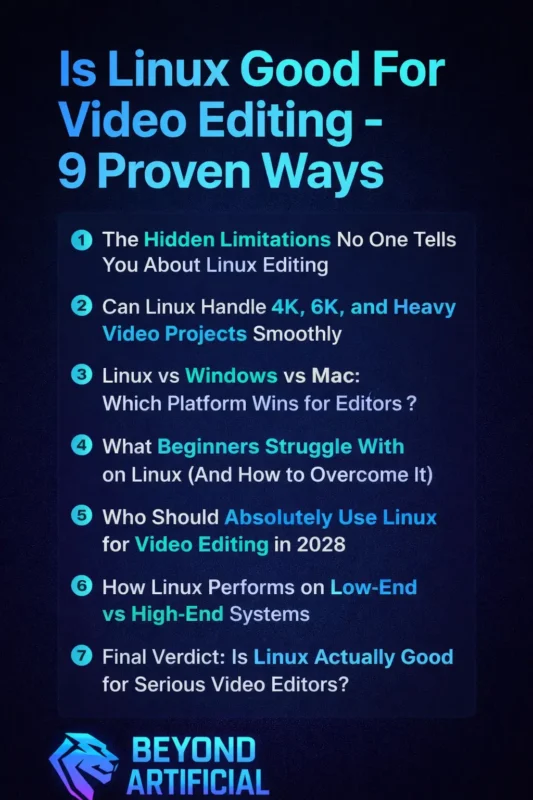
Take a deep breath, explore the truth, and discover whether Linux can finally give you the smooth, powerful editing experience you truly deserve. Your videos, your passion, and your creative future deserve a system that works with you, not against you. In this guide, you will finally discover whether Linux can truly power your video editing journey, help you work faster, save money, and regain the creative confidence you may have slowly started to lose.
Keep reading to discover whether Linux can finally give you the speed, stability, and freedom your video editing journey has been missing.
1. The Real Reason Editors Feel Scared to Switch to Linux.
Many video editors feel a real sense of fear when they think about switching to Linux because they imagine losing the tools and workflow they have depended on for years. They worry that everything will feel unfamiliar, that simple tasks will suddenly become complicated, and that one wrong click could ruin an important project. Deep down, they are not just afraid of a new operating system; they are afraid of slowing down, looking unprofessional, or disappointing clients while trying to learn something new.
If you feel this way, start small by installing Linux alongside your current system so you can explore without pressure or risk. Pick one beginner-friendly editing tool and practice on a short, low-stakes project instead of jumping into client work immediately. Watch a few focused tutorials and keep notes of shortcuts you use often so the new workflow starts to feel natural. Most importantly, permit yourself to learn at your own pace, because once you move past that initial fear, you may discover more control, stability, and creative freedom than you ever expected.
2. Powerful Advantages of Using Linux for Video Editing
Linux gives video editors a powerful, smooth, and budget-friendly editing experience that feels surprisingly freeing when compared to heavy, costly systems. It runs efficiently even on older hardware, stays stable during long editing sessions, and removes the constant pressure of monthly subscription fees that quietly drain your income. Many creators feel more in control and less stressed because Linux allows them to focus on creativity instead of dealing with crashes, slow rendering, and background system clutter.
To get the best results, start by choosing a stable and editing-friendly Linux distribution and set it up properly for multimedia work from the beginning. Use proxy files and organize your footage clearly to keep your timeline fast and responsive, especially when working on large projects. Keep your system and graphics drivers updated so performance stays smooth and reliable over time. Once you build a comfortable workflow, you will begin to feel a new level of speed, stability, and creative freedom that makes editing enjoyable again.
3. The Hidden Limitations No One Tells You About Linux Editing
Many video editors switch to Linux with excitement and high expectations, but they often feel caught off guard when they run into limitations that nobody clearly talks about in the beginning. Some industry-standard software, certain premium plugins, or specific effects simply do not work the same way, which can make you feel stuck and uncertain about your workflow. Hardware compatibility, proprietary codecs, or driver issues can sometimes require extra setup, and for someone already stressed with deadlines, this can feel overwhelming and discouraging.
You might even question your decision when a small technical issue takes longer to solve than expected. To protect yourself from this frustration, always check whether your essential tools, file formats, and plugins are fully supported before making Linux your primary editing system. Keep a backup plan, like dual boot or a secondary machine ready for urgent client work, and test Linux on small personal projects first so you gain confidence without pressure.
When you prepare properly, stay patient during the learning phase, and build a stable workflow step by step, those hidden limitations stop feeling like roadblocks and start feeling like manageable challenges you can confidently handle.
4. Can Linux Handle 4K, 6K, and Heavy Video Projects Smoothly?
Many editors secretly wonder whether Linux can truly handle 4K, 6K, and heavy video projects without freezing at the worst possible moment. The truth is that Linux can run high-resolution editing smoothly, especially on powerful hardware, and it often feels faster and cleaner because the system uses fewer background resources. However, performance still depends heavily on your CPU, GPU, RAM, storage speed, and how well your system is optimized.
If you struggle with laggy timelines, start by upgrading to an SSD and adding more RAM, because these two changes can dramatically improve playback performance. Use proxy files and optimized media when working with large 4K or 6K footage so your system does not choke under heavy file sizes. Make sure your graphics drivers are properly installed, and hardware acceleration is enabled, since misconfigured drivers are a common cause of slow rendering.
When you combine strong hardware, smart optimization, and the right editing workflow, Linux can handle demanding projects confidently and give you the smooth editing experience you have been hoping for.
5. Linux vs Windows vs Mac: Which Platform Wins for Editors?
When it comes to Linux vs Windows vs Mac, most editors just want one honest answer: which platform truly makes editing easier and more reliable? Windows offers wide software compatibility and flexibility, Mac delivers smooth optimization and strong creative ecosystems, while Linux provides speed, stability, and freedom from expensive licenses. The real winner depends on your workflow, your budget, and whether you rely on specific industry-standard tools.
If you depend heavily on Adobe software or client-based studio workflows, test compatibility first before even thinking about switching platforms. If performance and budget matter most to you, compare hardware costs and long-term software expenses instead of just looking at brand reputation. Try working on a short project across platforms if possible, because real experience will reveal more than online debates ever can.
In the end, the best platform is not the most popular one, but the one that supports your creativity, reduces stress, and helps you deliver projects confidently and on time.
6. What Beginners Struggle With on Linux (And How to Overcome It).
Many beginners feel lost and overwhelmed when they first start editing on Linux because everything looks unfamiliar and slightly technical. Simple tasks like installing software, setting up drivers, or finding the right tools can feel confusing and slow down their creative flow. This frustration often makes them doubt whether they made the right decision or if Linux is even worth the effort.
To overcome this, start with a beginner-friendly Linux version and focus on learning only the basic tools you actually need for editing. Follow step-by-step video tutorials and practice on small personal projects so you can build confidence without pressure. Join online communities or forums where you can ask quick questions and learn from other editors who once faced the same struggles.
With patience, practice, and the right guidance, that initial confusion slowly turns into confidence, and you begin to enjoy a smoother, more controlled editing experience.
7. Who Should Absolutely Use Linux for Video Editing in 2026
Linux is an excellent choice for video editors in 2026 who feel exhausted by expensive subscriptions, constant system slowdowns, and software that seems to demand more money than it gives in value. It works best for creators who want a fast, stable, and customizable editing environment where they feel fully in control of their system instead of fighting with it every day. Editors who enjoy learning new tools, experimenting with workflows, and building a powerful setup tailored to their needs often discover that Linux gives them a sense of freedom they never felt before.
If you are a freelancer, student, or content creator working on personal or online projects, start by testing Linux on smaller edits to understand how smoothly it fits into your creative routine. Always check your essential editing software, plugins, and hardware compatibility first so you do not face surprises during important projects. Spend some time learning basic system setup, shortcuts, and performance optimization because this small effort can make your editing experience much faster and more enjoyable.
Once you adapt to the workflow and build confidence, Linux can become a reliable, cost-saving, and powerful editing partner that truly supports your creativity and long-term growth.
8. How Linux Performs on Low-End vs High-End Systems
Linux performs surprisingly well on both low-end and high-end systems, which is why many frustrated editors start considering it as a serious option. On low-end computers, Linux often runs faster and more smoothly than other operating systems because it uses fewer background resources and keeps the system lightweight. On high-end systems.
It can unlock powerful performance and stable rendering that helps editors handle heavy projects with more confidence. If you use a low-end PC, choose a lightweight Linux version and edit with proxy files to keep playback smooth and stress-free. Upgrade simple things like RAM and switch to an SSD, because even small improvements can dramatically boost editing speed. If you own a high-end system, install proper graphics drivers and enable hardware acceleration to get maximum rendering and playback performance.
With the right setup and smart workflow, Linux can transform both weak and powerful systems into reliable editing machines that support your creativity instead of slowing it down.
9. Final Verdict: Is Linux Actually Good for Serious Video Editors?
Linux can absolutely be a powerful choice for serious video editors who want stability, speed, and freedom from expensive software limitations. It delivers strong performance, smooth workflows, and reliable rendering when it is set up properly and matched with the right hardware. However, it is not the perfect solution for everyone, especially for those who depend heavily on specific industry-standard tools or do not want to learn a new system.
If you are thinking about switching, start by testing Linux on personal or smaller projects so you can explore its workflow without pressure. Make sure your essential editing tools, plugins, and hardware work smoothly before fully moving your professional work. Invest some time in learning shortcuts, system optimization, and proper file management to make your editing experience faster and more comfortable.
Once you build confidence and a stable setup, Linux can become a reliable, cost-saving, and creatively freeing platform that truly supports serious video editing work.
FREQUENTLY ASKED QUESTIONS (FAQs)
Which Linux distro is good for video editing?
The best choice depends on how serious you are about editing and how much setup you want to handle. If you want a ready-made editing environment with optimized tools, go for Ubuntu Studio because it is built specifically for multimedia work. If you prefer something simple and beginner-friendly, Linux Mint or Pop!_OS offer smooth performance and better driver support, making your editing journey easier and less stressful.
Can I do video editing in Linux?
Yes, you absolutely can, and many creators already edit professional projects on it every day. With the right editing software and proper system setup, Linux can handle everything from simple cuts to heavy 4K projects smoothly. If you take a little time to learn the workflow and optimize your system, Linux can become a stable, powerful, and budget-friendly editing platform.
Which editor is best for Linux?
The best video editor really depends on your editing level and what kind of projects you handle. If you want professional results and advanced features, DaVinci Resolve is a powerful choice that many serious editors trust. For beginners or budget creators, Kdenlive and Shotcut offer easy, smooth editing without stress, helping you create quality videos without expensive software.
Which is the most powerful Linux?
The answer depends on what you mean by “powerful”, performance, customization, or professional workload handling. For maximum control and high-performance setups, distributions like Arch Linux give advanced users deep customization and speed. If you want powerful performance without complex setup, Ubuntu Studio or Pop!_OS delivers strong stability, driver support, and smooth creative workflows.
How many editors are there in Linux?
The truth is, there are dozens of video editing options available for Linux users. From professional tools to simple beginner-friendly editors, Linux offers both powerful and lightweight choices for different needs. You just need to choose the one that matches your skill level and project type, and you can start editing without feeling limited.
Is Linux good for video editing reddit
If you have ever searched “Is Linux good for video editing Reddit”, chances are you felt confused after reading hundreds of mixed opinions and long technical debates. Some users praise Linux as a dream editing system, while others warn about difficulties, leaving you stuck and unsure about what to believe.
The truth is, you are not just looking for opinions; you are looking for a clear, honest answer that saves your time, money, and creative energy. In this section, we will break down real Reddit experiences in simple language so you can understand what actually works and what does not. You will finally discover whether Linux can solve your editing problems or create new ones you never expected.
Here’s what you will learn from real user experiences:
Discover how Linux can give you a faster, smoother editing experience without expensive software costs.
Learn simple ways to handle common problems editors face on Linux so they do not slow down your workflow.
Understand how to edit 4K and heavy videos smoothly by using the right setup and smart optimization tips.
Get clear guidance to decide whether switching to Linux will truly support your editing goals or not.
Avoid beginner mistakes by following proven tips that make your transition to Linux easier and stress-free.