
 YouTube Automation
Top 15 New AI Tools in 2026 – You Must Try (Blog#:04)

The Top 15 New AI Tools in 2026 are changing how people work, create, and grow, yet many people still do not even know they exist. If you have been feeling left behind, stressed, or tired of doing everything manually, these tools can completely change your routine. Instead of spending hours on tasks that drain your energy, you can now work faster and smarter. Right now, smart people around the world are using these tools to save time, increase productivity, and stay ahead of the competition.
The best part? You do not need coding skills, a big budget, or years of experience to use them. These tools are built to make life easier for beginners, creators, and business owners alike. Get ready to discover how the Top New AI Tools in 2026 can simplify your work, boost your confidence, and help you move toward a smarter and more successful future.
Do not wait while others move ahead. These AI tools are already helping people work smarter, earn more, and save time every day. You have taken the first step by reading this; take action.
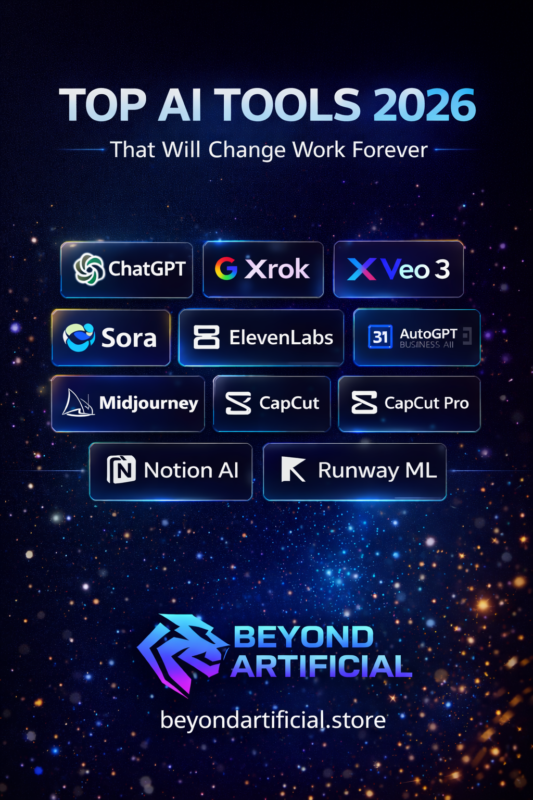
Keep reading to explore the tools, and start using at least one today. One small decision today can make your work faster, easier, and better.
Why 2026 Is the Biggest Leap Forward in AI History
If you feel like technology is moving too fast, 2026 is the year that can either push you ahead or leave you behind. AI is no longer just a small helper; it has become a powerful assistant capable of handling real work for you. Now, AI tools do not just answer questions. They can complete projects, manage schedules, write content, and organize tasks, even while you sleep. So do not treat AI like a simple search engine. Start using it like a team member who can take work off your plate.
Here’s a simple tip: choose one AI tool this week and learn how to use it properly. Let it handle one task that usually takes up your time every day. Also, stay updated with AI news, because new features are coming fast and can save you hours each month. In 2026, the people who succeed will not be the ones working harder; they will be the ones using AI smarter and adapting quickly.
If you want to understand the bigger picture of where AI is heading until 2030, this long-form analysis is worth reading:
→ AI Roadmap 2026–2030: What Will Actually Change Society
The 15 Most Powerful AI Tools Dominating 2026
1. ChatGPT Pro / o3-mini / o3 (OpenAI)
If you have ever stared at a blank screen and felt stuck with no ideas, ChatGPT Pro with o3 and o3-mini can really help. It’s no longer just a basic chatbot; it’s a powerful AI tool that can solve problems, write content, help with research, and think through complex tasks step by step. In 2026, ChatGPT Pro can browse the web, create images, write and run code, and even have natural voice conversations. It feels more like working with a smart assistant than using a simple tool.
Here is a helpful tip: always give ChatGPT a clear role before asking your question. For example, say “Act as a senior marketing expert” and then ask your question. You will notice the answers become more detailed and focused.
Another tip is to use the Deep Research feature when you need detailed and well-organized information. It can save you hours of searching online. If you are on a budget, o3-mini is a great starting point because it offers strong performance at a lower cost. As your needs grow, you can upgrade later.
When you stop using ChatGPT just for quick answers and start using it as your thinking partner, your productivity and creativity can improve a lot.
2. Grok 4 / Grok 4 Heavy (xAI)
If you are tired of AI tools giving short or basic answers, Grok 4 can be a strong option. It’s designed to handle deeper thinking and more complex problems, especially in areas like science, math, business strategy, and data analysis. Grok 4 Heavy goes a step further. It uses multiple AI agents working together on the same task, which helps produce more detailed and carefully checked answers. This makes it useful for important projects where accuracy really matters.
Here’s a simple tip: use Grok 4 when you are dealing with complex tasks that require serious analysis, not just simple questions. For example, you can use it to break down a business plan, solve technical challenges, or study large amounts of information. Since Grok is connected to real-time data from X (formerly Twitter), it’s also helpful for tracking trends, understanding public opinions, and staying updated in your industry.
When you start giving Grok harder problems instead of easy ones, you will see why many professionals are beginning to rely on it for deeper insights.
3. Google Veo 3 / Veo 3 Turbo
If you have ever had an amazing video idea but felt stuck because you had no camera, crew, or budget, Google Veo 3 can bring it to life. It’s Google’s most advanced AI video tool, creating cinematic, high-quality videos with natural sound, realistic dialogue, and lifelike motion. Veo 3 Turbo gives the same stunning results but faster, so you can produce professional videos in minutes instead of days.
Here’s a tip: write your video prompt in detail, including setting, lighting, mood, character actions, and background sounds. The more specific you are, the better your final video will look.
Another tip: use Veo 3 Turbo for short-form content like social media reels or YouTube shorts, where speed and quality matter most. Marketers, educators, and creators can use Veo 3 to make explainer videos, stories, and branded content without hiring a videographer or spending thousands. Once you publish your first Veo 3 video and see the engagement, you’ll wonder how you ever managed without it.
4. OpenAI Sora 2026 (Sora 2 / Sora Turbo)
If you have ever seen a big-budget brand video and thought, “I could never make that,” OpenAI Sora 2026 can change that. It gives you the power of a professional studio right from your laptop. Sora 2 can create long, visually stunning, and emotionally engaging videos, keeping characters, settings, and storylines consistent from start to finish. Sora Turbo does the same but much faster, perfect for creators, marketers, and storytellers who need high-quality videos quickly.
Here’s a tip: write a detailed scene breakdown before generating your video. Include characters, emotions, camera angles, lighting, and story flow. Sora works best with clear, detailed prompts.
Another tip: use Sora Turbo for video ads, courses, or brand stories. Businesses using AI video are saving up to 80% on production while creating more content. Always make multiple versions of the same prompt; small changes can create much stronger results. The first time you watch a Sora video created from your own ideas and prompts, you will feel a new level of creative freedom and excitement.
5. Runway Gen-4 / Gen-4 Turbo / Gen-4 Video-to-Video
If you have spent hours editing videos or trying to make raw footage look professional, Runway Gen-4 can do all that work for you in a fraction of the time. It’s not just a video generator, it’s a full AI-powered creative studio that lets you create, edit, and enhance videos with amazing control and precision. The Video-to-Video feature is a game-changer. It lets you take any existing footage and completely change its style, mood, colors, and visuals, all without reshooting.
Here’s a tip: use Video-to-Video to repurpose old content into fresh, eye-catching videos. It saves time and gets more value from footage you already have.
Another tip: use Gen-4 Turbo when you are on a tight deadline. Its fast generation delivers high-quality results quickly. Also, try Runway’s motion brush and camera controls for precise movement and cinematic effects. Once you transform ordinary footage into a stunning cinematic video with Runway Gen-4, you will never want to go back to traditional editing software again.
6. Kling AI 2.0 / Kling Pro (Kuaishou)
If you have thought the best AI video tools are too expensive or too hard to use, Kling AI 2.0 is here to prove otherwise. It’s powerful, easy to use, and lets you create videos that grab attention, without a huge budget. Kling AI 2.0 produces realistic human movement, detailed environments, and rich storytelling, rivaling top AI video tools at a fraction of the cost. Kling Pro adds longer videos, higher resolution, and smoother motion, perfect for creators, marketers, and social media managers.
Here’s a tip: use Kling AI 2.0 for videos with human characters and natural movement. Its motion engine makes people, expressions, and gestures look real and engaging.
Another tip: combine Kling Pro with a scriptwriting AI like ChatGPT or Claude. Craft a strong story first, then bring it to life visually; that’s how content stands out and gets shared. Always try both the standard and Pro versions on the same prompt. You will see the difference and know when upgrading is worth it. When you publish a Kling AI video and see your audience react as if it’s professionally made, you will feel confident knowing world-class video creation is now possible for you.
7. Luma Dream Machine 2 / Ray2
If you have ever wanted to create cinematic, magical videos that really move your audience, Luma Dream Machine 2 and Ray2 can make it happen. Luma Dream Machine 2 is a smart AI engine that understands light, movement, depth, and space, producing videos that feel alive and visually stunning. Ray2 takes it further with smoother camera motion, better object consistency, and professional-looking scene transitions, making your videos look like they were filmed by a high-end crew.
Here’s a tip: use Luma Dream Machine 2 for product showcases, storytelling, or nature scenes. Its lighting and depth are so realistic that viewers often can not believe it’s AI-made.
Another tip: use Ray2 for smooth camera movements like slow pans, zoom-ins, or circular shots. It handles cinematic movements with precision that few AI tools can match.
Always add mood and atmosphere details in your prompts, like “golden hour lighting,” “misty forest,” or “neon rain reflections.” These details help create visually stunning, shareable videos. The first time you watch a Luma Ray2 video created from a single prompt and feel real excitement from how beautiful it looks, you will see why many creators call it one of 2026’s most powerful AI tools.
8. ElevenLabs 2026 (Prime Voice & Multilingual Studio)
If you have ever recorded your own voice and hated how it sounded, ElevenLabs 2026 can change everything. Its Prime Voice creates natural, emotional, and professional-sounding voices that even audio experts can not tell are AI-generated. The Multilingual Studio lets you take one voice and deliver it in over 30 languages with perfect accents and emotions, making every listener feel like you’re speaking directly to them.
Here’s a tip: clone your own voice and use it across all your content. This saves hours of recording time and builds a strong, recognizable brand voice.
Another tip: use Multilingual Studio to translate and revoice your videos or podcasts into other languages. This can multiply your audience and revenue without creating new content. Always adjust the emotion, pace, and tone for each project. A voice that matches your message keeps listeners engaged and leaves a bigger impact. The first time you hear your ElevenLabs Prime Voice narration and feel how warm, natural, and professional it sounds, you will never go back to robotic or amateur voiceovers.
Related guide:
→ How to Build a Profitable Faceless YouTube Channel in 2026 (Complete Strategy)
9. Midjourney V7 / V7 Alpha
If you have ever struggled to find the perfect image for your brand or content, Midjourney V7 can change that. It lets you create unique, stunning visuals that grab attention and feel professional. Midjourney V7 offers photorealistic detail, beautiful lighting, artistic depth, and accurate human faces. V7 Alpha adds experimental features for even more style control and consistent character generation across images.
Here’s a tip: build your prompts in layers, start with the subject, then the environment, lighting, mood, and artistic style. This produces images far better than simple one-line prompts.
Another tip: use style and character references to keep your visuals consistent across social media, marketing, and brand content. Consistency builds trust and recognition.
Always upscale your favorite images and explore variations. Some of the most amazing creations come from trying new directions. The first time Midjourney V7 creates an image that perfectly matches your vision, you will feel a rush of creative joy and see visual storytelling in a whole new way.
10. Flux.1 Pro / Flux.1 Ultra (Black Forest Labs)
If you have ever been frustrated because AI image generators ignore your instructions or produce results nothing like what you imagined, Flux.1 Pro can solve that. It’s precise, understands detailed prompts, and delivers images that closely match your vision. Flux.1 Pro creates photorealistic images, handles complex scenes with multiple elements, and follows instructions better than most other AI models. Flux.1 Ultra goes further, producing ultra-high-resolution images with incredible detail, perfect for designers, brands, and visual artists who need top-quality results.
Here’s a tip: use Flux.1 Pro for images with specific text, objects, or complex scenes. It handles tricky prompts more accurately than most models.
Another tip: use Flux.1 Ultra for print, large displays, or professional projects. Its high-resolution output ensures sharp, detailed, and beautiful visuals at any size.
Always include technical details in your prompts, lens type, lighting, color palette, and textures. Flux responds best when you speak like an art director briefing a photographer. When you compare Flux.1 Ultra images to other AI generators, the difference in detail, accuracy, and quality is obvious, and you will see why professionals rely on it as their go-to tool.
11. CapCut Pro AI 2026 / CapCut Commerce Edition
If you have ever spent hours editing videos only to end up with amateur-looking results, CapCut Pro AI 2026 can change that. It makes professional-level video editing easy for anyone, no experience needed. CapCut Pro AI 2026 automatically edits footage, adds captions, syncs music, enhances colors, removes backgrounds, and applies cinematic effects, all in a fraction of the time it would take manually. CapCut Commerce Edition is perfect for entrepreneurs and online sellers. It transforms product videos and images into scroll-stopping, conversion-ready ads that perform better on social media.
Here’s a tip: use CapCut’s AI auto-edit feature to make a rough cut in seconds, then refine emotion, pacing, and storytelling. This can cut editing time by up to 70% while improving video quality.
Another tip: use CapCut Commerce Edition for product launches, TikTok shop videos, and Instagram ads. Its templates and AI features help grab attention and boost sales.
Always use CapCut’s AI captions with bold, animated text. Captions increase watch time, improve accessibility, and help your videos get seen by more people. The first time you watch a video edited by CapCut Pro AI that looks clean, cinematic, and professional, all made in under 15 minutes, you will feel how easy world-class content creation can be.
12. Pika 2.5 / Pikaframes
If you have ever seen a stunning image and wished it could move and come alive, Pika 2.5 with Pikaframes can make it happen. It turns still images, ideas, or concepts into smooth, cinematic videos that feel alive and emotional. Pikaframes is the standout feature. It lets you choose a starting image and an ending image, then creates the entire animated journey between them, like magic unfolding on screen.
Here’s a tip: use Pikaframes to make before-and-after transformation videos for your brand, products, or stories. These are highly engaging and shareable on social media.
Another tip: animate images from Midjourney or Flux with Pika 2.5. Combining top AI image tools with Pika’s animation produces visually stunning content that boosts engagement and shares.
Always adjust scene and motion intensity. Subtle, controlled movement often feels more premium and emotionally powerful than over-the-top animation. The first time you watch a Pikaframes video smoothly animate between two images you created, you will feel the full emotional impact and realize how powerful this AI tool is for creating captivating content.
13. Claude 4 Sonnet / Claude 4 Opus (Anthropic)
If you have ever used an AI that gave robotic, shallow, or off-topic answers, Claude 4 Sonnet and Claude 4 Opus can restore your faith in what AI writing can do. Claude 4 Sonnet is fast, smart, and thoughtful. It handles professional writing, research, coding, and sensitive conversations with accuracy and warmth, making it feel like a brilliant thinking partner. Claude 4 Opus goes even further. It offers deep reasoning, advanced long-form writing, and human-like understanding for complex problems, perfect for writers, researchers, developers, and strategists who need the very best results.
Here’s a tip: use Claude 4 Sonnet for everyday tasks like emails, content drafts, summaries, and brainstorming. Its speed and quality make it highly efficient.
Another tip: use Claude 4 Opus for high-stakes work like long articles, business proposals, code projects, and detailed reports. Its depth and understanding produce impressive, professional results.
Always give Claude a clear context about your audience, goal, tone, and desired outcome at the start. This helps it generate more targeted, relevant, and emotionally engaging results. The first time you read a long-form article, strategic plan, or code from Claude 4 Opus and feel amazed by its intelligence and human-like quality, you will understand why professionals around the world trust it as one of 2026’s best AI tools.
14. AutoGPT / BabyAGI / Agentic Platforms 2026 (Godmode, Superagent, MultiOn, etc.)
If you have ever felt buried under endless tasks and to-do lists, AI agent platforms like AutoGPT, BabyAGI, Godmode, Superagent, and MultiOn act like a tireless personal assistant. They work around the clock, completing your tasks without needing breaks. These platforms do not just answer one question at a time. They think through your goal, break it into steps, execute them automatically, check results, and keep going until the project is finished, all without you babysitting every step.
Here’s a tip: give your AI agent a clear, measurable goal instead of a vague task. Agents work best when they know exactly what success looks like.
Another tip: use MultiOn for browser tasks like filling forms, booking appointments, scraping data, and navigating websites. Automating these small tasks can save you hours every week.
Always monitor your agent at first. Catch mistakes early and guide it so it learns your preferences. A well-trained agent becomes faster, smarter, and more reliable with each task. The first time you assign a complex project to an AI agent, walk away, and return to find it fully completed, you will feel a sense of freedom and relief you never thought possible.
15. Notion AI 2.0 / Notion Labs 2026
If you have ever struggled to manage notes, projects, ideas, deadlines, and team communication across multiple apps, Notion AI 2.0 can fix that. It brings everything together in one organized, connected, and stress-free workspace. Notion AI 2.0 is not just a note-taking app anymore. It reads your documents, understands your projects, answers questions about your data, writes content, summarizes long pages, and helps you stay on top of everything, all without jumping between apps.
Notion Labs 2026 adds AI-powered databases, smart automations, and connected workflows, helping you make better decisions, move faster, and achieve more every day.
Here’s a tip: set up all your work or business in one Notion workspace from the start. It becomes your central hub where you can find, summarize, and act on anything in seconds.
Another tip: use Notion AI to summarize meeting notes, research, or project updates instantly. You will stay informed without spending hours reading long documents. Always use Notion’s AI writing assistant to draft project plans, team updates, content calendars, or SOPs directly in your workspace. Keeping writing and organization together creates a productivity loop that saves time and energy.
The first time you ask Notion AI a question, and it instantly pulls the perfect answer from all your documents and projects, you’ll feel relief and clarity knowing you’ll never lose track of an important idea, deadline, or piece of information again.
Best AI Tool Stack for Different Creators in 2026
| Creator Type | Core Stack 2026 | Monthly Cost (via Beyond Artificial) | Expected Time Saved |
|---|---|---|---|
| Long-form YouTuber | Sora + Runway + ElevenLabs + ChatGPT Pro + CapCut | Rs. 3,500–5,000 | 75–90% |
| Short-form Reels/TikTok | Veo 3 + Kling + CapCut Pro AI + ElevenLabs | Rs. 2,800–4,200 | 80–95% |
| Faceless Channel | ChatGPT + ElevenLabs + Pika + Runway + Midjourney | Rs. 3,200–4,800 | 85–92% |
| E-commerce / Product Content | Flux.1 Pro + Midjourney + Veo 3 + CapCut | Rs. 2,500–4,000 | 70–88% |
| Agency / Team Content | Claude 4 + Notion AI + Grok + Runway + ElevenLabs | Rs. 4,500–6,500 | 65–85% |
How Beyond Artificial Makes Premium AI Actually Affordable in Pakistan (2026 Reality)
In most Western countries, using even half of the tools listed above would cost $180–450 per month.
Beyond Artificial — a Pakistan-based AI infrastructure company — changed the game completely for creators, freelancers, digital agencies, and small businesses in Pakistan and nearby countries.
What you actually get:
- ChatGPT Pro / o3 series
- Grok 4
- Google Veo 3
- ElevenLabs Prime
- Midjourney V7
- Runway Gen-4
- CapCut Pro AI
- Flux.1 Pro
- Pika 2.5
- and more tools are added every month
Realistic 2026 pricing via Beyond Artificial
- Single tool access → starting Rs. 999–1,499 / month
- 3-tool bundle → Rs. 2,499–3,499 / month
- 5–7 tool power bundle → Rs. 4,200–6,200 / month
- Team/agency plans, custom pricing with shared seats
Advantages most users mention
- JazzCash, EasyPaisa, bank transfer, debit/credit card
- Pakistani support team (Urdu + English)
- Fast activation (usually under 30 minutes)
- Regular updates when new versions are released
- No VPN required for most tools
Official website:
→ Beyond Artificial – Pakistan’s #1 Premium AI Tools Platform in 2026
Biggest AI Career & Money-Making Opportunities in 2026–2028
- AI Video Director / Synthetic Filmmaker
- Multimodal Prompt Engineer
- Autonomous Agent Builder
- AI Brand & Visual Identity Designer
- Regional Language AI Content Specialist (Urdu, Hindi, Bengali, Arabic, etc.)
- AI-Powered Short-form Content Agency Owner
- AI Workflow Automation Consultant
- Synthetic Media Compliance & Ethics Advisor
These roles are growing extremely fast — many paying 2–6× average salaries in emerging markets.
FAQ – Most Asked Questions About AI Tools in 2026
Which AI video generator is best right now in 2026?
For realism → Google Veo 3
For storytelling → OpenAI Sora
For action & physics → Kling AI 2.0
For lip-sync avatars → Pika 2.5
Is it still very expensive to use good AI tools in 2026?
Individually — yes. Through platforms like Beyond Artificial, no. Most serious creators pay Rs. 3,000–7,000 per month total.
Can someone with zero experience start using these tools?
Yes. CapCut, Midjourney, ElevenLabs, Veo 3, and ChatGPT have become extremely beginner-friendly in 2026.
Will AI completely replace content creators?
No. It replaces repetitive tasks, but the best human creators who can direct AI creatively are earning more than ever.
Which tools support Urdu/Hindi/Punjabi best?
Voice: ElevenLabs 2026
Text: Grok 4, ChatGPT Pro, Claude 4
Video editing: CapCut Pro AI (auto captions)
Final Thoughts: Your 2026 AI Advantage Starts Today
The difference between top 1% creators/businesses and everyone else in 2026–2027 will be:
- Who masters multimodal AI workflows
- Who builds systems instead of one-off pieces
- Who uses autonomous agents to scale output 5–20×
You no longer need $500/month budgets or Silicon Valley connections.
You need the right tools + the right strategy.
Most successful Pakistani creators and agencies right now are doing exactly this:
- Start with ChatGPT Pro / Grok 4 + Midjourney V7
- Add ElevenLabs + CapCut Pro AI or Veo 3
- Scale with Runway / Pika / Kling when ready
- Keep total monthly cost under Rs. 5,000–7,000 using Beyond Artificial
Your next step is simple:
👉 Join Beyond Artificial Today – Start with Premium AI Tools from Only Rs. 999/month
Which AI tool or workflow are you planning to master first in 2026?
Drop your thoughts in the comments. I read and reply to every serious comment.
Let’s build the future together.
